Introduction
Choosing between a digital cutter and a laser cutter is one of the most common equipment decisions for packaging, signage, display, and printing shops. Both are computer-controlled and tool-less in the traditional sense — but they cut with completely different physics, and that decides which materials, volumes, and workshops they suit.
This guide gives you a clear, practical comparison across eight dimensions — cutting principle, edge quality, heat damage, materials, thickness, fumes, operating cost, and production flexibility — then breaks it down for packaging and signage specifically. For a broader view of digital cutting technology, start with our digital flatbed cutter guide.
Quick Answer
For the materials most converters actually run — cardboard, corrugated, foam, vinyl, leather, textiles, and rigid PVC/acrylic — a digital (knife) cutter is usually the better choice: no heat damage, no toxic fumes, clean edges on heat-sensitive and reflective stock, and one machine handles many materials with no tool change. A laser cutter wins only for metal fabrication and fine acrylic/wood engraving, where its beam excels. If your work is packaging, signage, display, or printing, a digital flatbed cutter is the safer, more flexible first investment.
What Is a Digital Cutter?
A digital cutter (also called a CNC knife cutter or oscillating knife cutting machine) separates material with computer-controlled blades — no physical die, no heat. A digital flatbed cutter reads design files (dxf, plt, jpg, tif) and drives cutting tools along the path at speeds up to 120 m/min, holding ±0.01 mm cutting accuracy on LDCUT machines.
- Tooling: Oscillating knife for thick/rigid stock, drag knife for thin films, kiss-cut tool for labels, V-cut tool for fold lines, creasing wheel for cartons, and spindle for rigid acrylic/PVC.
- No die required: Change the file, not the tooling — changeover is minutes, not days.
- No heat: Material is separated mechanically, so there is no heat-affected zone, no scorch, and no fumes.
- Multi-material: One machine cuts cardboard, foam, vinyl, leather, composites, and (with spindle) rigid PVC/acrylic.
LDCUT's digital flatbed cutters span the L, K, and G series, covering a wide range of use cases — from Sampling & Prototyping and Medium-volume Production to Automated Workflow and rigid-material work on Rigid PVC, Acrylic, and Composites.
What Is a Laser Cutter?
A laser cutter focuses a high-energy beam (CO₂ for non-metal, fiber for metal) to vaporize or melt material. It is a thermal process: the beam burns, melts, or sublimates the workpiece along the cut line.
- CO₂ lasers cut and engrave wood, acrylic, leather, paper, and some plastics — common in signage and awards.
- Fiber lasers cut metal (steel, aluminum, brass); they do not process reflective non-metals well.
- Heat is inherent: Cutting always produces a heat-affected zone, fumes, and (for many plastics) hazardous gas.
- Extraction required: Fume and particulate removal is mandatory for safe operation.
Key difference: A digital cutter mechanically separates material; a laser thermally removes it. That single distinction drives every comparison below — edge quality, material safety, fumes, and shop-floor risk all trace back to heat vs. no heat.
Digital Cutter vs Laser Cutter: 8 Key Differences
| Dimension | Digital Cutter (Knife) | Laser Cutter |
|---|---|---|
| Cutting Principle | Computer-controlled oscillating / drag / rotary blades physically separate material | Focused laser beam vaporizes or melts material with heat |
| Edge Quality | Clean, no heat-affected zone; ideal on heat-sensitive and reflective materials | Polished edge on acrylic/wood; can scorch, melt, or recast on coated or heat-sensitive stock |
| Heat Damage | None — safe for foam, vinyl, fabrics, films | High — melts/burns heat-sensitive materials; can warp thin substrates |
| Materials | Cardboard, corrugated, foam, vinyl, leather, textiles, composites, rigid PVC/acrylic (spindle) | Metal (fiber), acrylic (engrave/cut), wood, leather, some plastics, stone/glass (engrave). PVC & vinyl release toxic gas — generally avoided |
| Thickness | Up to 50 mm with an oscillating blade; rigid-material capacity depends on spindle specification (e.g. G6) | Limited by beam power; best on thin–mid sheet; struggles with thick or reflective stock |
| Fumes & Safety | No fumes; no extraction needed; safer shop floor | Fumes/particulates require extraction; PVC/vinyl release toxic chlorine gas — prohibited in many shops |
| Operating Cost | Lower power draw; consumable blades; minimal maintenance; no assist gas | Higher power + assist gas (O₂/N₂) + extraction + optics maintenance |
| Production Flexibility | Multi-material, no tool change, instant file change, short-run variable | Fast repeat on same thin part; material/parameter change needs re-tuning |
Digital Cutter vs Laser Cutter for Packaging
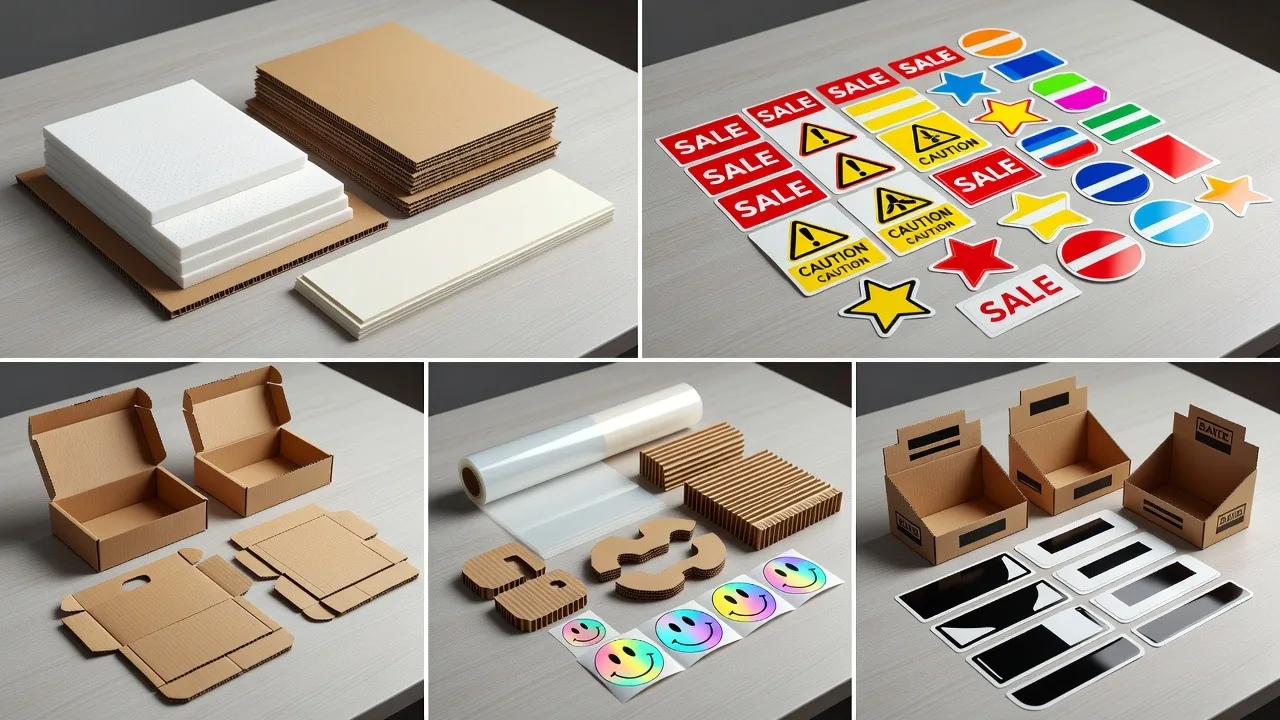
Packaging converters live in cardboard, corrugated, folding carton, foam inserts, and protective mailers — exactly the materials a digital cutter handles best.
- No die, no wait: Switch box styles in minutes instead of waiting days for a die. See our packaging cutting guide for machine recommendations.
- No scorch: Coated and printed carton cut clean — a laser can burn the coating and release fumes.
- Short runs & sampling: Prototype a package and run 50 or 5,000 on the same machine.
- Kiss-cut labels: A drag/kiss-cut tool handles label stock without burning the liner.
Verdict for packaging: A digital cutter is the better fit for the vast majority of packaging work — flexible, clean, and safe. A laser only competes where packaging involves metal components or heavy acrylic, which is rare for most converters.
Digital Cutter vs Laser Cutter for Signage
Signage is mixed, so the answer splits by material:
- Vinyl, foam board, paper, banner: Digital cutter — clean edges, no fumes, no melting on heat-sensitive media. The material compatibility guide covers tool selection.
- Acrylic letters & engraving: A CO₂ laser gives a polished, flame-finished edge and fine engraving detail.
- Rigid PVC and acrylic sheet (cut/edge, no melt): A digital cutter with spindle tooling — such as the LDCUT G6 — cuts and edges without melting and without the laser's PVC restrictions.
Verdict for signage: Run vinyl, foam, and paper on a digital cutter. Use a laser for acrylic engraving and metal letters. Many sign shops run both — they are complementary, not interchangeable.
Which One Should You Choose?
Decide by material first, then volume and shop constraints. The pattern is consistent: if your work is non-metal, heat-sensitive, multi-material, or short-run, a digital cutter is the stronger choice. Reserve a laser for metal fabrication and fine engraving.
| If your work is… | Choose | Why |
|---|---|---|
| Packaging, cartons, corrugated | Digital Cutter | Die-less, no scorch, instant changeover |
| Vinyl, foam, textiles, leather | Digital Cutter | No heat damage; clean edges on soft/reflective media |
| Rigid PVC / acrylic (cut & edge) | Digital Cutter (spindle, e.g. G6) | Cuts without melting; handles PVC safely (laser cannot) |
| Metal parts / fabrication | Laser (fiber) | Blades cannot cut steel; beam is required |
| Acrylic engraving / awards | Laser (CO₂) | Polished edge and fine engraving detail |
| Mixed, many SKUs, short runs | Digital Cutter | Minutes of changeover vs. laser re-tuning |
For LDCUT's typical buyers — packaging, signage, display, and printing converters — a digital flatbed cutter covers the broadest range of daily work with the lowest facility risk. Shops that also do metal or deep acrylic engraving add a laser as a second machine.
Frequently Asked Questions
Q1: Can a laser cutter cut cardboard and paper?
Answer: Yes, but it is rarely the best choice for converters. The beam generates heat that can scorch or burn coated stock, release fumes, and create a fire risk on dust-laden sheets. A digital cutter separates cardboard and paper mechanically with no heat, no scorch, and no extraction.
Q2: Can a digital cutter cut metal?
Answer: No. A digital cutter uses physical blades and cannot cut steel, aluminum, or other metals — those require a fiber laser, plasma, or waterjet. LDCUT digital flatbed cutters are built for non-metal sheet and semi-rigid materials.
Q3: Which is cheaper to operate: a digital cutter or a laser cutter?
Answer: It depends on the job. A laser draws more power, consumes assist gas on metals, needs extraction, and requires optics maintenance. A digital cutter draws less power, consumes low-cost blades, needs no extraction, and has minimal maintenance. For thin high-volume metal a laser can be cheaper per part; for multi-material short-run non-metal work a digital cutter is usually cheaper to own and run.
Q4: Which is better for packaging production?
Answer: A digital cutter is better for most packaging work — no die, no scorch, instant changeover between box styles, ideal for sampling and variable SKUs. A laser risks burnt edges on coated stock and adds fume handling.
Q5: Can one machine do both digital cutting and laser cutting?
Answer: No — they are different technologies (blades vs. beam). Some shops run both: a laser for metal fabrication and acrylic engraving, and a digital cutter for cardboard, foam, vinyl, and short-run signage. They complement rather than substitute.
Q6: Is a laser cutter faster than a digital cutter?
Answer: For thin, identical, high-volume parts a laser is faster. But a digital cutter wins on flexibility — it switches between shapes and materials in minutes with no tooling change. If your day involves 5+ different jobs or mixed materials, a digital cutter delivers more total throughput.
Q7: Which cuts acrylic better: a digital cutter or a laser?
Answer: It depends on the result. A CO₂ laser engraves and cuts acrylic with a polished edge but produces fumes and cannot process PVC. A digital cutter with a spindle (such as the LDCUT G6) cuts and edges rigid acrylic and PVC cleanly with no melting and no fumes — better for signage shops that also run PVC.
Conclusion: Match the Technology to Your Materials
Neither technology is "better" in the abstract — but for the daily reality of packaging, signage, display, and printing converters, a digital cutter is the more flexible, safer, and lower-risk core machine. It handles the broadest material range with no heat, no fumes, and no tooling lock-in. A laser earns its place as a second machine for metal and fine engraving.
Not sure which LDCUT model fits your materials? Our engineering team runs a free sample cutting test on your actual substrates before you buy — so the decision is based on cut results, not guesses.